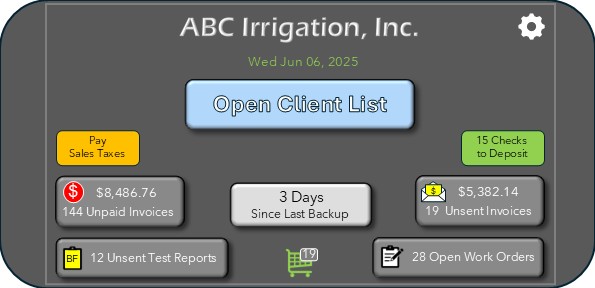
Main Screen
The Main Screen is where general information about invoices, Work orders, Backflow Test Reports, Database Backup, and other info is displayed.
Main HUB
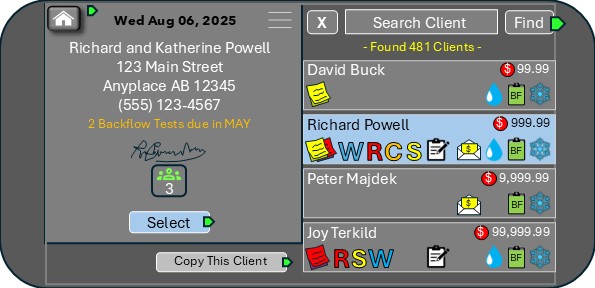
The Main Hub displays all of the clients, starting with the ones that were most recently viewed. You can scroll or Search, or use the Find to filter your search.
Client HUB
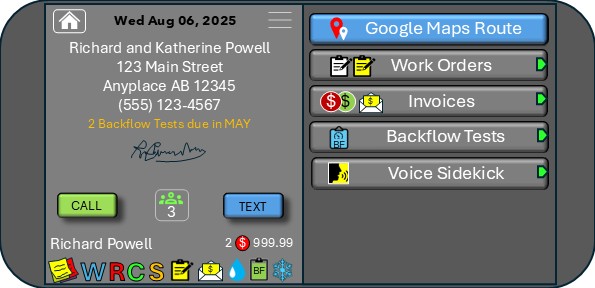
When a client is selected, the left side displays Client’s info and status of annual services, flags, unpaid invoices, open work orders , notes, etc.
The right side contains buttons for accessing different features. A Quick Menu is accessible by clicking on the three lines in the top center.
I cannot imagine going back to the way I was doing things before. I now send most of my invoices while I’m out in the field. It freed up so much of my time that I can finally go fishing again!
Having access to my clients information in such an easy way, and everything this app allows me to do is incredible. My guys love it too! What a time saver!
Total game changer for me. Only someone who has experienced running an irrigation business could have come up with such a well though out app. Everything is easy to use and easy to understand. After watching a few video demos, I was sold.